Many people learn hacking for fun , taking revenge and many other reason. But me learn hacking for knowledge and safe our website from hackers. I don’t all of these below hacking movies are best hacking movies of all time but you need to try below movies. We make latest hacking movies list and also want your suggestion for best hacking movies all the time.
Top 10 Best Hacking Movies 2015
#1 The Matrix(1999)
This is one of great science fiction movie. In this movie a Character named “Neo”, Neo is a computer Hacker. In this movie machine takedown human race and humans need superhuman. Neo is superman and save the human race in this movie. Matrix movie come in Trilogy.
Take down movie is based on famous computer Hacker Kevin David Mitnick. Now Kevin Mitnick is Computer Security Consultant. This movie show the past of Kevin Mitnick in Hacking World. In Past Kevin arrested for hacking a computer , when you see this movie you see lots of thing any hacker.
If you want to see how hacking affect real world see this movie. This movie sees a hacker group takedown country from a Computer Hacking. They hack road lights traffic, planes, cars and all of the thing with the help of computer. This is one of the best amazing movie that based on hacking. This movie shows How a blackhat hackers hack the world.
In this movie hackers make a website www.killwithme.com which shows live tortures and killing people. Now that website became a hit and millions of users see those scene. Government try to block that websitebuy they can’t do anything. This is also a good movie for see something new in hacking.
Blackhat is newly release movie by Chris Hemsworth. In this movie Some Blackhat hackers hack China Nuclear Plant and start nuclear reaction. They also hack Share market and steal million of dollars from bank. This is latest hacking movie with some great video graphics. This movie shows how a black hat hackers threaten whole government.
Iron Man Movie is known for science fiction movie. In this Movie Mandarin Terrorist Group Hack US Live TV Broadcast and show militant group video in all over country. This movie shows lots of hacking like hacking US president phone. Watch this movie and see some awesome things from computer.
Eagle Eye is amazing movie about computers. In this movie two people get call from and unknown number by woman. They get task on phone if they don’t follow the phone call they died. In this movie a supercomputer hack all networks and military network. This is just amazing movie on how artificial intelligence computer hack our real life for bad motives.
Underground is the movie based on JulianAssange. JulianAssange is founder ofwikileaks.Wikileaks is one of the biggest website for sharing secret documents of government. This movie show a life of JulianAssange and how they foundwikileaks.
Transformer is one of my favourite movie by Michael Bay. In this movie series you see lots of computer hacking by robots and humans. They hack military satellites and computers very fastly. This movie story and animation is amazing.
Cybergeddon is a tv series based on computer hacking. In this movie hackers hack computers for robbing money from banks. Cyber Crime level very high and police fail to do anything.
How To Recover Or Reset Windows 7 Forgotten Password With Hiren’s Boot CD.....
Welcome back, Today we will share some recovery trick for Windows 7. Sometimes we gave some really complicated password for our PC but Unfortunately later we ‘re only the persons who forget and getting fear to lost everything in our PC on C’Drive. So all your worries will be no more with this simple trick, Simply you have to follow this simple procedure to get rid out of this.
How To Recover Or Reset Windows 7 Forgotten Password
2. After Downloading then you have to Burn your ISO Hiren’s File into CD
3. After Burning your File into CD you have to Restart your PC with inserting the same CD Because now you have to Boot your CD not your OS installed Drive. So Insert your CD Disk which you have created right Now.
4. Restart your PC.. Suddenly you will see a message “Press any Key to Boot from CD or DVD.”
5. Now you will be once prompt from Hiren’s Boot CD So Select The “Mini Windows XP and Hit Enter.
How To Recover Or Reset Windows 7 Forgotten Password With Hiren’s Boot CD
6. Now Hiren’s boot CD will not install any thing to your system but for now you will see your windows as in different visuals so keep calm. and proceed Next..
7. Now on Desktop you will see the Icon “HBCD” Like This:
How To Recover Or Reset Windows 7 Forgotten Password With Hiren’s Boot CD
8. Open that HBCD and Goto—> Programs –> Password / Keys–> Windows Login–> NTPWEdit [Reset XP/Vista/7 User Password]..
9. Now what just See This:
How To Recover Or Reset Windows 7 Forgotten Password With Hiren’s Boot CD
10. Change the Drive Latter to the OS Installed Drive Suppose I have Installed My OS on “D” Drive so I have Selected “D“, You have to just change the Drive latter as your OS Installed Drive.
11. Then After selecting your Drive click on Re-open and you will see the Users just like the image given above. Or If you Can’t see your Users then Change your Drive Letter.
12. Then select the “Change Password” and Give your Password and Click on “OK” and then “Save Changes” and then “Exit“
Now Restart You PC and give your Recent Password. Provide Your Comments Below If you Have Any Problems.
How to Fix USB Device Not Recognized Error In Windows
Many time you notice the error USB Device nor recognized while working on windows. This is a very irritating one that can come by different reasons and with this you are unable to use the drive in your computer as it is not explore able when this error is generated in windows. And this error is mainly driver error that generally occur due to malfunctioning or corrupting of USB drivers in PC. But you don’t exactly know which driver needs to be changed. But in this tutorial will be discussing on the same by which you can easily sort out this problem in your windows PC. So have a look on complete guide discussed below to proceed.
How To Solve USB Device Not Recognized Error In Windows
The method is very simple and you will be updating the driver that is corrupted at that time and with that the issue will get resolve and you can easily access the USB device in your computer. Just follow up the below steps to proceed.
Steps To Solve USB Device Not Recognized Error:
First of all open RUN (Windows Logo + R) and then type “devmgmt.msc” there and and click ok.
Now double click on Universal Serial Bus controllers to expand it.
Now insert Your USB pendrive in it and all the driver list will get refreshed.
Now you will see error sign on the Serial Bus Controller which creating this error,
Simply right click on it and then uninstall it and after that reinstall it and you can also update other drivers too that not working properly in your device.
Thats it you are done, now you simply need to restart your computer and then after it insert the USB driver in any com port and you will not receiving this error message this time.
So above is all about How To Solve USB Device Not Recognized Error In Windows. With this you can easily fix out the USB device not recognized error that occurs while you insert USB drive in your windows PC. Hope you like this cool solution, do share with others too. Leave a comment below if you have any related queries with this.
How To Monitor Real Time Data Usage In Windows
If you are low on internet then you need to monitor on complete data usage of your internet and for that you can monitor the Data usage in your windows and that too on real time. In windows 7 there was a widget where you can actually view the actual stats of internet usage when you are being connected to a internet connection. But on the other version of windows this feature was not. So we are here with a cool method that will allow you to monitor your data usage and to better manage your data and can avoid over charge of extra usage in your internet plans. So have a look on complete guide discussed below to proceed.
How To Monitor Real Time Data Usage In Windows
The method is very simple and depends on some cool tools that will allow you to track your network packets. And this will show you the real time usage and then you will actually get to know that what exactly your data is being consumed. Have a look on these tool before.
#1 Shaplus Bandwidth Meter
This is one of the best software that you can use to monitor out all the data stats of your network. It is very simple to use bandwidth monitoring software to track Internet bandwidth usage. It remains in tray and displays the bandwidth usage in current session, day and month. This will be helpful for those with limited bandwidth broadband/Adsl connection. And use this and with that you can actually avoid extra usage of your data.
GlassWire’s network monitor visualizes your current and past network activity by traffic type, application, geographic location, all on a beautiful and easy to understand graph. Go back in time up to 30 days and see what your computer or server was doing in the past. Click the graph to see details of what app or network event caused a spike in network activity. So must try out this cool software in your windows pc and have complete track om your internet usage to manage them best according to your plan. Also with this tool you do lots of other things too like creating firewall etc in your windows PC.
Download: Glasswire For Windows
Thursday, 12 November 2015
What is GodMode?
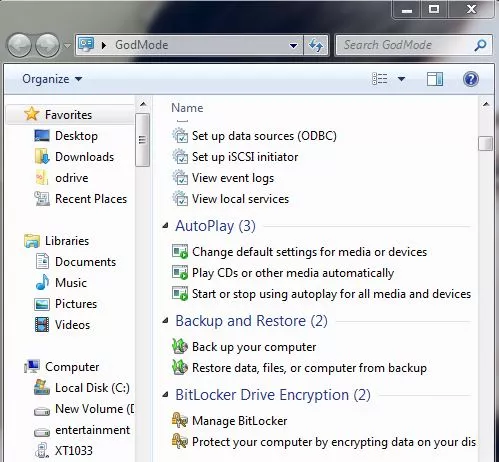
Windows GodMode is an old trick, but I thought it’d be nice to share it with our readers who don’t know about it as Windows 10 is released. Also, I’ll be telling about all GodMode folders here, not just a single one. Windows GodMode, as the name suggests, provides you a shortcut and grander access to various control panel settings. It is also known as the Windows Master Control Panel shortcut (All Tasks) or All Tasks folder by different people.
By making this GodMode folder, you’ll get access to all the settings of the control panel in your OS within a single folder. This hack was first revealed in 2007 and it works in operating systems higher than Windows Vista i.e Window 7, Window 8, Windows 8.1, and Windows 10.
As you’ll know how to do it, you’ll come across the step of renaming the folder and using the phrase “GodMode”. Actually, GodMode name has nothing to do with this trick. Use your name instead of GodMode and it’ll work just fine because GodMode is just a name given to this trick as it got popular..
How To Enable GodMode?
Create a new folder in Windows
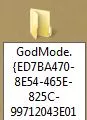
Rename it to: GodMode.{ED7BA470-8E54-465E-825C-99712043E01C}
Once renamed it’ll converted and looks like control panel icon, open and there you have it.
Note: You can enable GodMode using this trick in Windows Vista Window 7, Window 8, Windows 8.1,and Windows 10.
How to enable all GodMode folders?
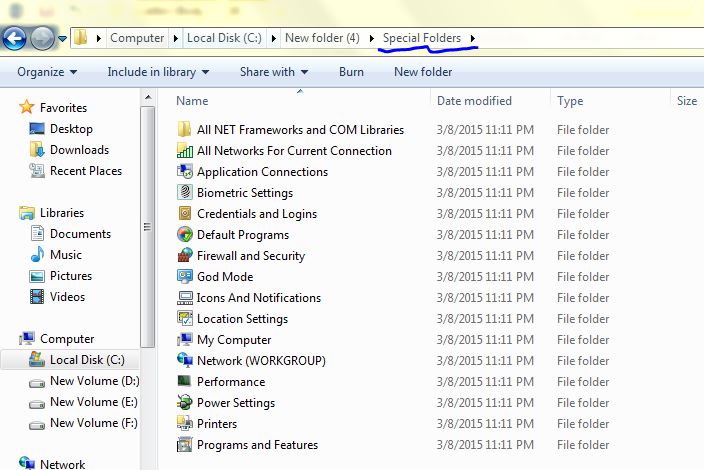
There’s a lot more to this GodMode trick. There are a lot more GodMode folders waiting for you to utilize them. Copy and paste the script written below in a new notepad file. Rename this file as “godmodes.bat” and paste at the location where you want these GodMode folders to be. Now click on the renamed file “godmodes.bat” and there you have a list of GodMode folders, all with different uses.
You need a secured Android device not to let others peep in your personal secrets stockpiled on your phone. Here are some of the basic things that you should adopt to make your device secured:
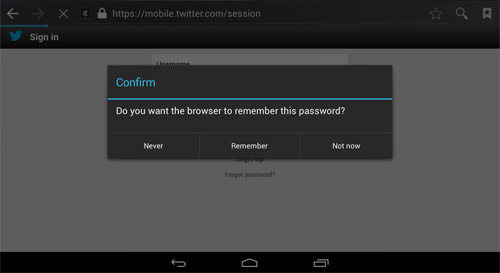
1. It is not always safe to save passwords on your device (Yes, not even on your own device): Most of the time, we generally save passwords on your devices because we don’t want to login to Facebook time and again. It is not safe to save passwords specially linked with your banking accounts and payment apps. In case your cell phone goes in others’ hand, there is high chance they will buy moves on Candy Crush using your Google Wallet.
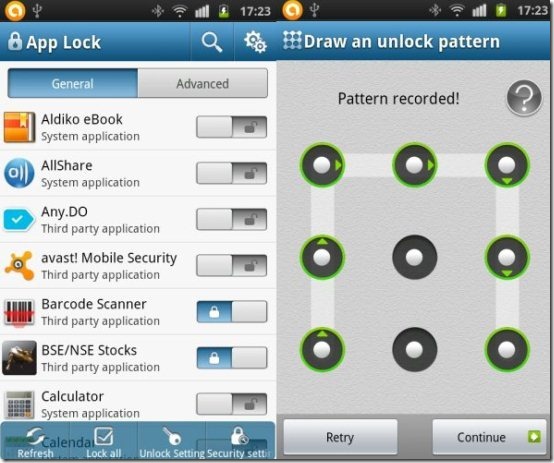
2. It is better to use app locker: To make your info safe on your Android device, it’s, at all times, better to use app locker. Using app locker will make your device fortified against second hand use. Different types of app lockers are available free (tired of that CM ad) or paid ones on the Play Store. Choose the suitable one for you and be safe right now.
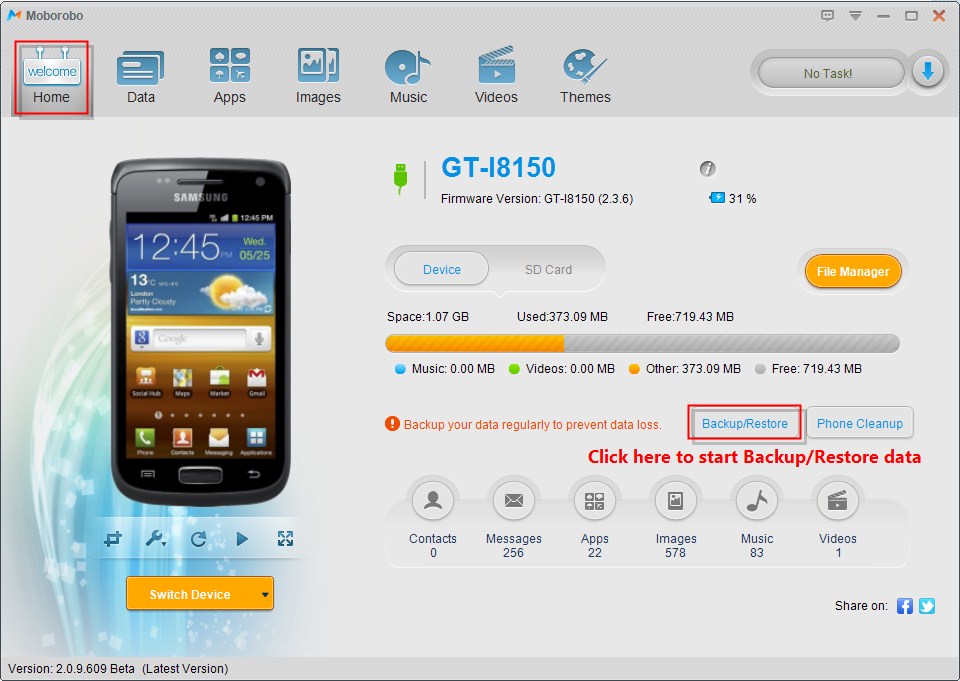
3. Always Backup your important data: It’s a wise idea to back up your important data. Nowadays, there are a number of ways to keep your data in a secured on the go. It’s also important to protect your documents or files using password. To back up the data, you can use things such as CD, Flash drive, external HDD, online storage such as Google drive, One Drive, iCloud and whatever. There’s no way if the whole cloud storage gets broken but remember, your data is 99% secure in a cloud server. Activating anti-theft feature on your device is also suggested.
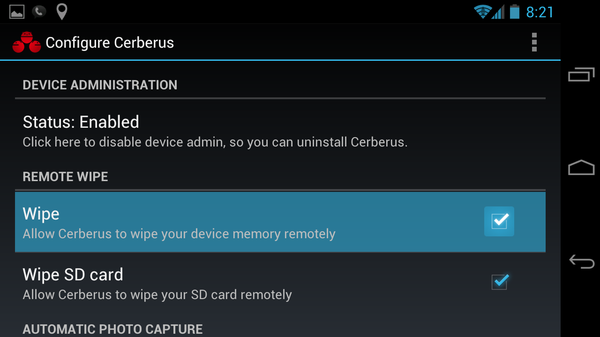
4. Enabling Remote Wipe is a good idea: If your device contains a lot of secret information is lost and there is no way to restore the information, you are safe only if you had installed remote wipe feature on your phone. There are a number of application for remote wipe activity. One of the applications is 3CX Mobile Device Manager, which can remotely control your device.
5. Using the In-built Security of the device: Nowadays, a variety of Android devices are in the market with different types of in-built security options. It will be a clever idea to have a screen lock and encryption enabled in your device to enhance your device’s security. Screen locks with password, pattern, pin, retina and face unlock features are available in the device’s settings. Make sure that you set a password or pattern lock unique enough to be guessed by others.
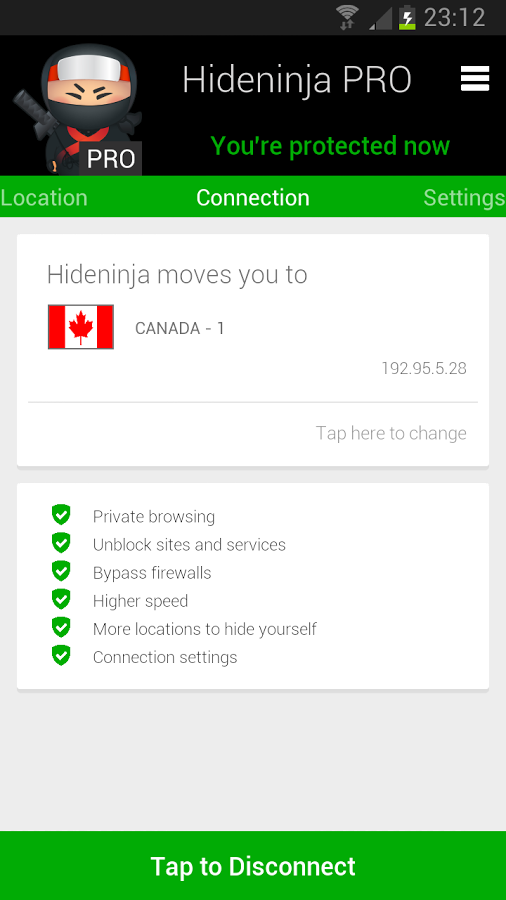
6. Secure the Network: Using the secured network specially in case of online banking services using your device is an important task. It’s good to avoid public Wi-Fi specially to do financial and confidential transactions (don’t get pulled by that free Wi-Fi). Deal with your confidential tasks through secured networks like your home network. To protect your information, use apps like Hide Ninja VPN. This app helps you to encrypt your outgoing information. Similarly, Wi-Fi Protector can be used as a shield to be protected from those attackers. Security on an Android is highly important, so don’t take it for granted and follow all the given advice, or atleast some.
7. Using Mobile Security App: Day after day, every OS is becoming like Windows, where you get tons of viruses every day. It’s very important that you install a mobile security app on your device. For now, you can install Avast! because it has all the basic features and for sure, it is easy to use. Make sure that you should never let your sentinel down as Android malware is getting sturdier and more proliferating each day.
Tuesday, 10 November 2015
so you want to know about ddos attack !!!!!!!!!!!!!!!!!
you should check it here ////////.................. ddos attack 3-)
buhahahahaha
my life going toward black and life haterz will be there jald he hack core